
For installation instructions, please click here.
–
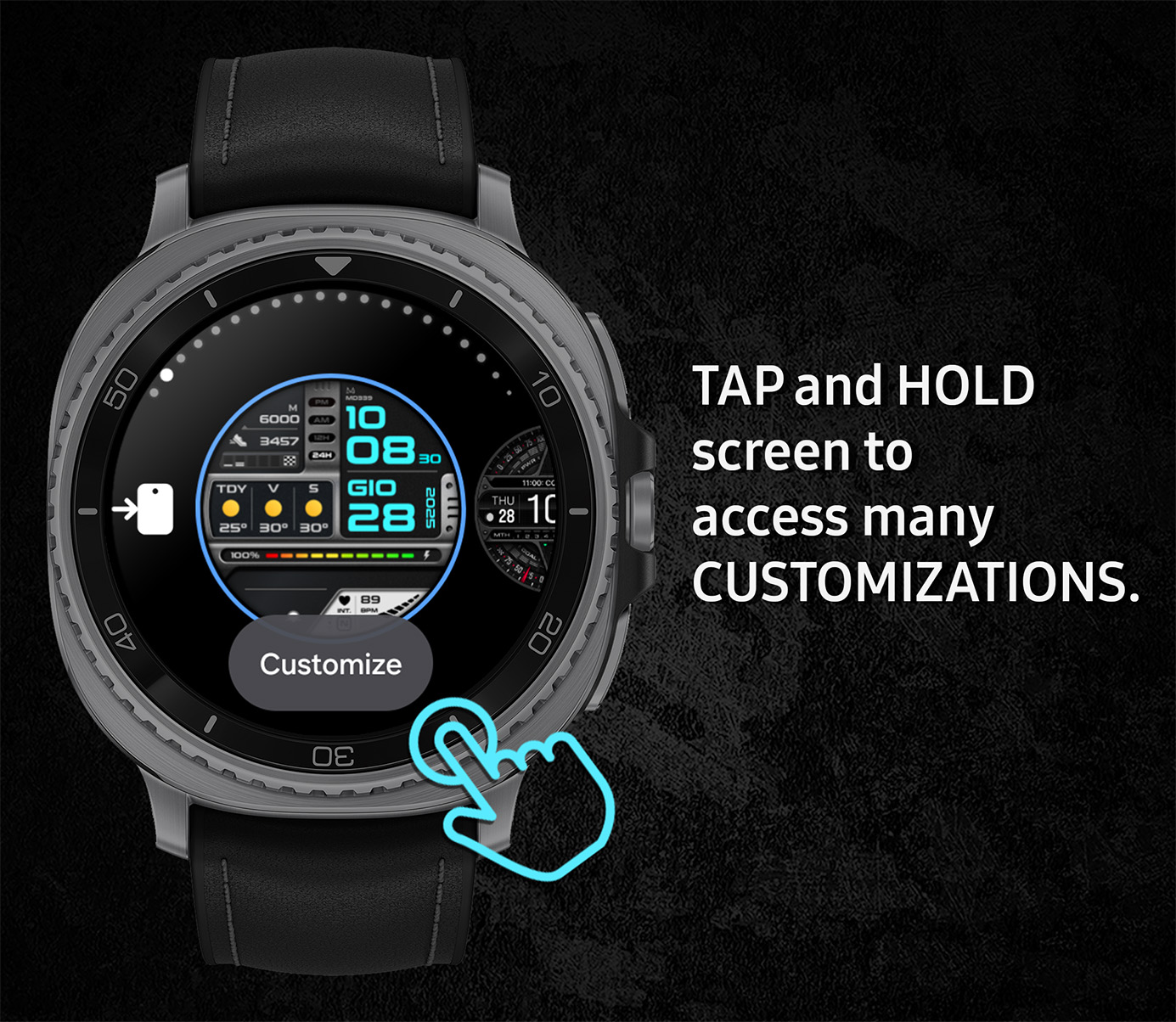
As stated on the Google Play Store, the BEST way is to customize the watch face directly on your watch:
– TAP and HOLD the screen, then select “Customize” at the bottom.
– Press the Back or Home button to return and save your settings.
If that still doesn’t work, it might just be a small glitch on the watch.
In that case, we suggest first RESTARTING it or trying a cache wipe — this usually clears things up quickly.
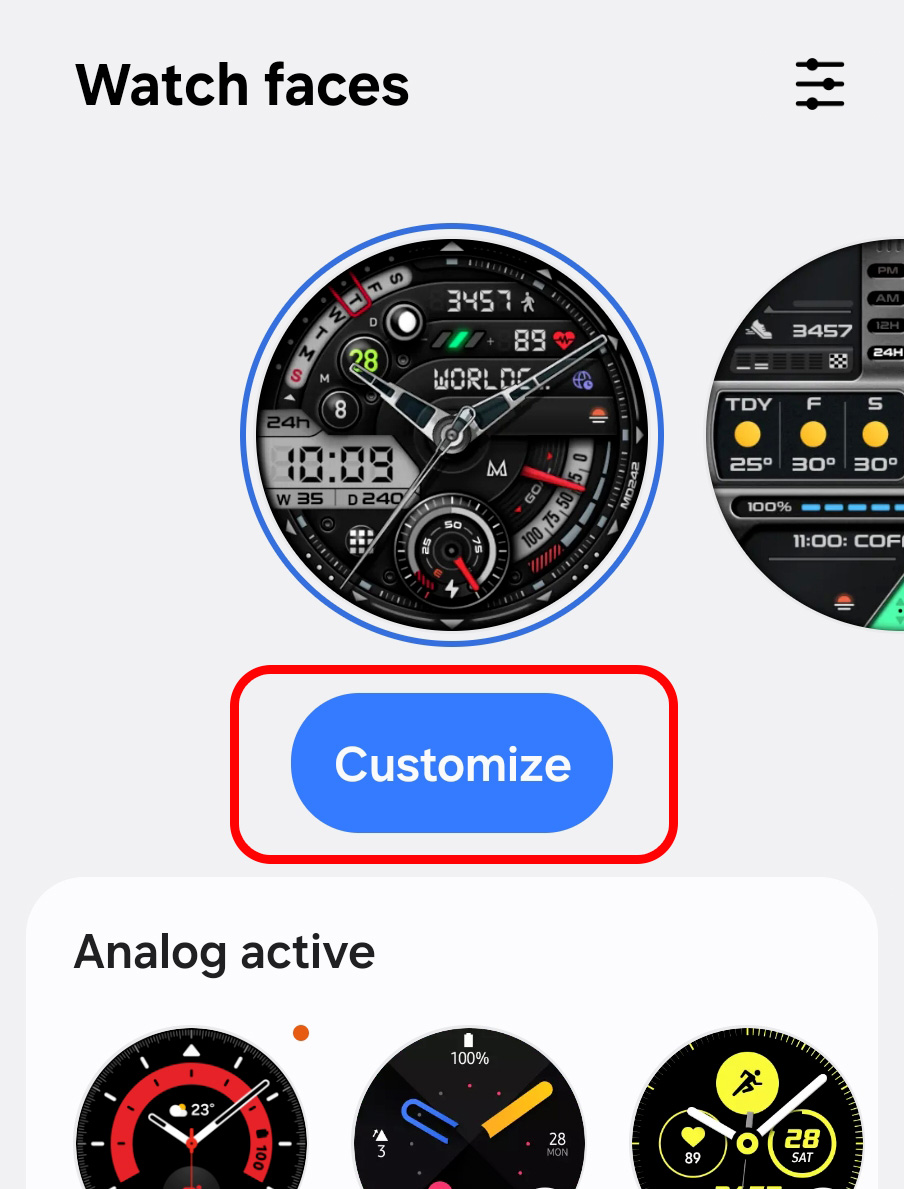
Alternatively, you can also customize the watch face from the Wearable app on your phone:
– Open the watch management app on your phone (e.g., the Wearable app)
– Select the watch face, and TAP on “Customize.”
However, please note that this method can sometimes take longer.
This is because the app first attempts to transfer all the data from the watch to the phone before allowing customization, and due to Bluetooth limitations, this process can be slow or fail.
This happens especially with watch faces that offer many customization options like ours.
Please remember that these slowdowns are NOT caused by the watch face itself but by the phone app.
For this reason, the direct customization on the watch is usually faster and more reliable.
Complications:
Important note about complications.
On Wear OS watch faces, you can install third-party “complications” to get the data you’re looking for.
Once the complications are installed, you will be able to view this data on ANY watch face.
Please note that complications are NOT part of the watch face but are external apps, and we have no control over them.
Watch faces are designed to accommodate the complications, but they are not part of the watch faces themselves.
Examples of useful complication apps
- Health data (distances, floors, calories, …):
👉 Health Services Complications - Complication Suite (week of year, time zones, bitcoins, etc.):
👉 Complication Suite - Extra complications collection:
👉 Complications Suite GS - Phone battery:
👉 Phone Battery Complication - Calendar:
👉 Business Calendar